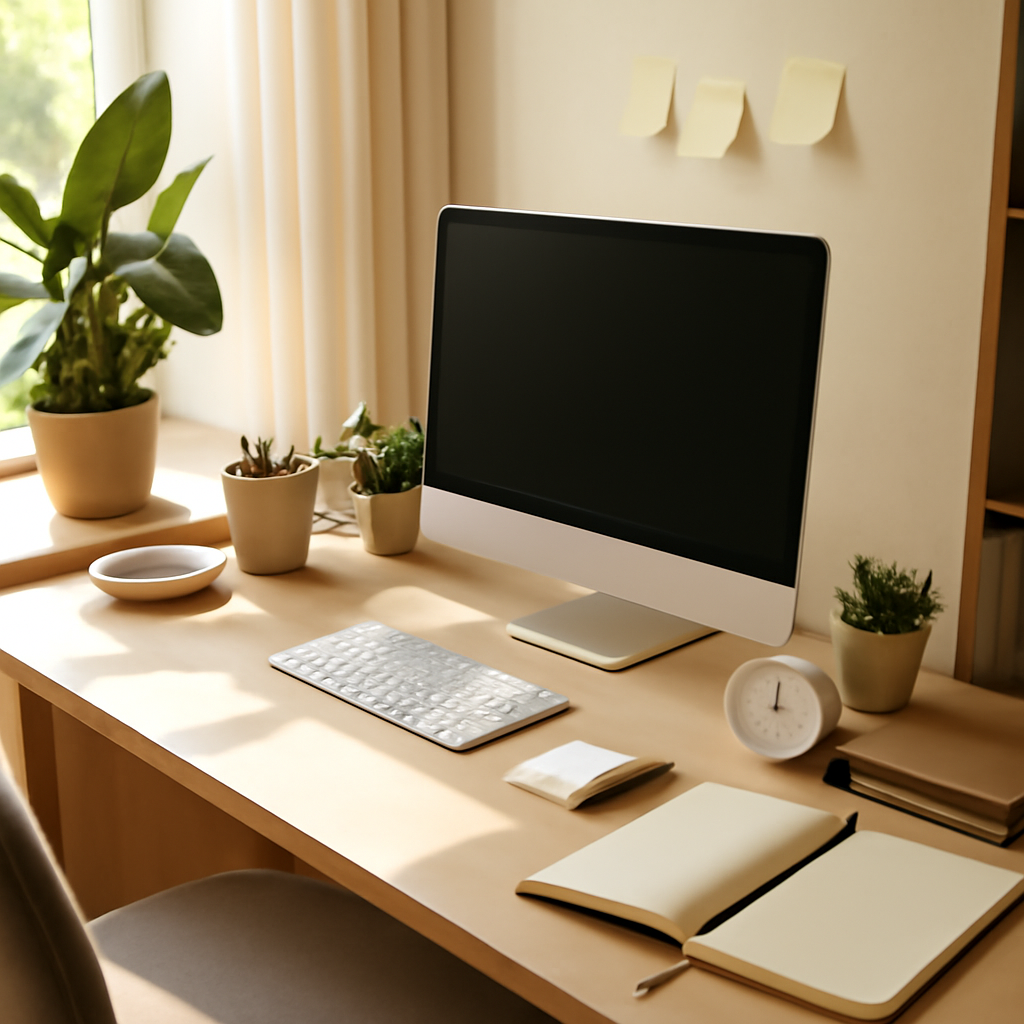
Top 5 Ways to Optimize Your Workspace for Productivity
Introduction
Your workspace is more than just a desk and a chair—it is the physical environment where ideas transform into results, and where your business’s daily momentum either accelerates or stalls. Yet many small business owners overlook how their immediate surroundings directly influence focus, energy levels, and decision-making quality. In this article, we explore five evidence-backed strategies to reshape your workspace for peak productivity, from ergonomic fundamentals to the subtle psychology of spatial design.
Section 1: Prioritise Ergonomic Foundations for Sustained Focus
The most productive workspace begins not with aesthetics, but with how your body interacts with it. An improperly configured desk setup forces your muscles and joints into compensatory patterns, draining energy that should be directed toward strategic thinking. For small business owners who spend hours reviewing contracts, responding to client inquiries, or analysing financial reports, this hidden fatigue accumulates rapidly. Start by ensuring your monitor sits at eye level, your elbows form a 90-degree angle when typing, and your feet rest flat on the floor or a supportive footrest. Investing in an adjustable chair with lumbar support is not a luxury—it is a productivity tool that pays dividends by reducing the physical interruptions that break your workflow. When your body is comfortable, your mind stays anchored to the task at hand.
Section 2: Implement Strategic Zoning Within Your Workspace
A single, undifferentiated desk area can create mental friction as you shift between tasks that require different cognitive modes. Consider dividing your workspace into three distinct zones: a deep-focus zone for analytical work, a creative zone for brainstorming and planning, and a recovery zone for brief mental resets. The deep-focus zone should face a wall or contain minimal visual stimuli, reducing the temptation to glance at distractions. The creative zone might include a whiteboard, sticky notes, or a tablet for sketching ideas. The recovery zone could be a small armchair or a standing spot near a window, reserved exclusively for short breaks. This intentional separation trains your brain to associate each area with a specific type of work, reducing the transition time between tasks and preserving mental energy throughout the day.
Section 3: Harness Lighting and Colour Psychology
Lighting is one of the most underestimated productivity levers in any workspace. Harsh overhead fluorescent lighting can induce eye strain and lethargy, while dim lighting signals to your brain that it is time to rest. For optimal alertness, position your desk perpendicular to a window to capture natural daylight without glare on your screen. Supplement with a warm, adjustable task lamp that you can direct precisely where needed. Colour choices on your walls and accessories also play a role: blues and greens promote calm focus, yellows stimulate creativity, and neutral tones reduce visual noise. If repainting is not feasible, introduce these colours through desk accessories, a small rug, or artwork. Small shifts in your visual environment can significantly alter your cognitive state and productivity output.
Section 4: Manage Digital and Physical Clutter Systematically
Clutter is not merely an aesthetic concern—it is a cognitive tax that fragments your attention. Every loose paper, unused gadget, or stack of old documents on your desk competes for your brain’s processing capacity, even when you are not consciously looking at them. Establish a daily five-minute reset routine: clear your desk of everything except what you need for the current task, file documents immediately, and archive digital files into clearly named folders at the end of each day. For small business owners managing multiple projects, a physical inbox tray and a digital filing system with consistent naming conventions can prevent the buildup that derails focus. When your environment signals order, your mind follows suit, allowing you to allocate full cognitive resources to high-value decisions rather than searching for misplaced items.
Section 5: Incorporate Movement and Micro-Breaks Into Your Layout
Prolonged static sitting is physiologically detrimental and cognitively counterproductive. Your workspace layout should encourage natural movement without requiring you to leave your work entirely. Position your printer, reference materials, or water bottle at a distance that requires you to stand and walk a few steps to access them. Consider a sit-stand desk converter that allows you to alternate between sitting and standing throughout the day, reducing fatigue and improving circulation. Schedule micro-breaks of two to three minutes every hour—stand, stretch, or walk a short loop around your office. These brief pauses reset your attention span and prevent the diminishing returns that set in after prolonged focus. By designing movement into your workspace, you sustain higher energy levels and sharper thinking from morning until close of business.
Key Takeaways
- Ergonomic alignment reduces physical fatigue and preserves mental energy for strategic tasks.
- Zoning your workspace into focus, creative, and recovery areas reduces cognitive switching costs.
- Natural lighting and intentional colour choices directly influence alertness and mood.
- Systematic decluttering routines eliminate the hidden cognitive load of visual and digital mess.
- Incorporating movement and micro-breaks into your layout sustains long-term productivity without sacrificing momentum.
FAQ
Q: How often should I reassess my workspace setup for productivity?
A: Review your workspace configuration at least once per quarter, or whenever you notice a persistent dip in focus or energy. Small business needs evolve, and your environment should adapt accordingly. Pay attention to physical discomfort or recurring distractions as signals that adjustments are needed.
Q: Can a productive workspace be created on a limited budget?
A: Absolutely. Many high-impact changes cost little to nothing—rearranging your desk to face natural light, clearing clutter, and creating zones with existing furniture. Prioritise ergonomic adjustments like monitor height and chair support, which can often be improved with simple modifications before investing in new equipment.
Q: Should I separate my home workspace from my relaxation area?
A: Yes, if possible. Distinct boundaries between work and rest zones help your brain associate each space with its intended function. If a separate room is unavailable, use visual cues like a room divider, a specific desk lamp, or a designated corner to create psychological separation, even in a shared area.
Conclusion
Optimising your workspace for productivity is not about purchasing expensive gadgets or following generic trends—it is about designing an environment that respects your biology, supports your workflow, and reduces unnecessary friction. By prioritising ergonomic comfort, strategic zoning, thoughtful lighting, systematic decluttering, and intentional movement, you create a space that works as hard as you do. Start with one change today, and let that momentum carry you toward a more focused, energised, and productive workday.